See what’s happening.
CPU, memory, disk, network and top processes. Live charts bring the important signals together in one place.
You built something worth keeping online.
Give it a little peace of mind.
Live performance, meaningful alerts, and AI insight when you need it. All in a calm, clear view of your own server.
EARLY PREVIEW Meet the free edition. Public downloads are being prepared.
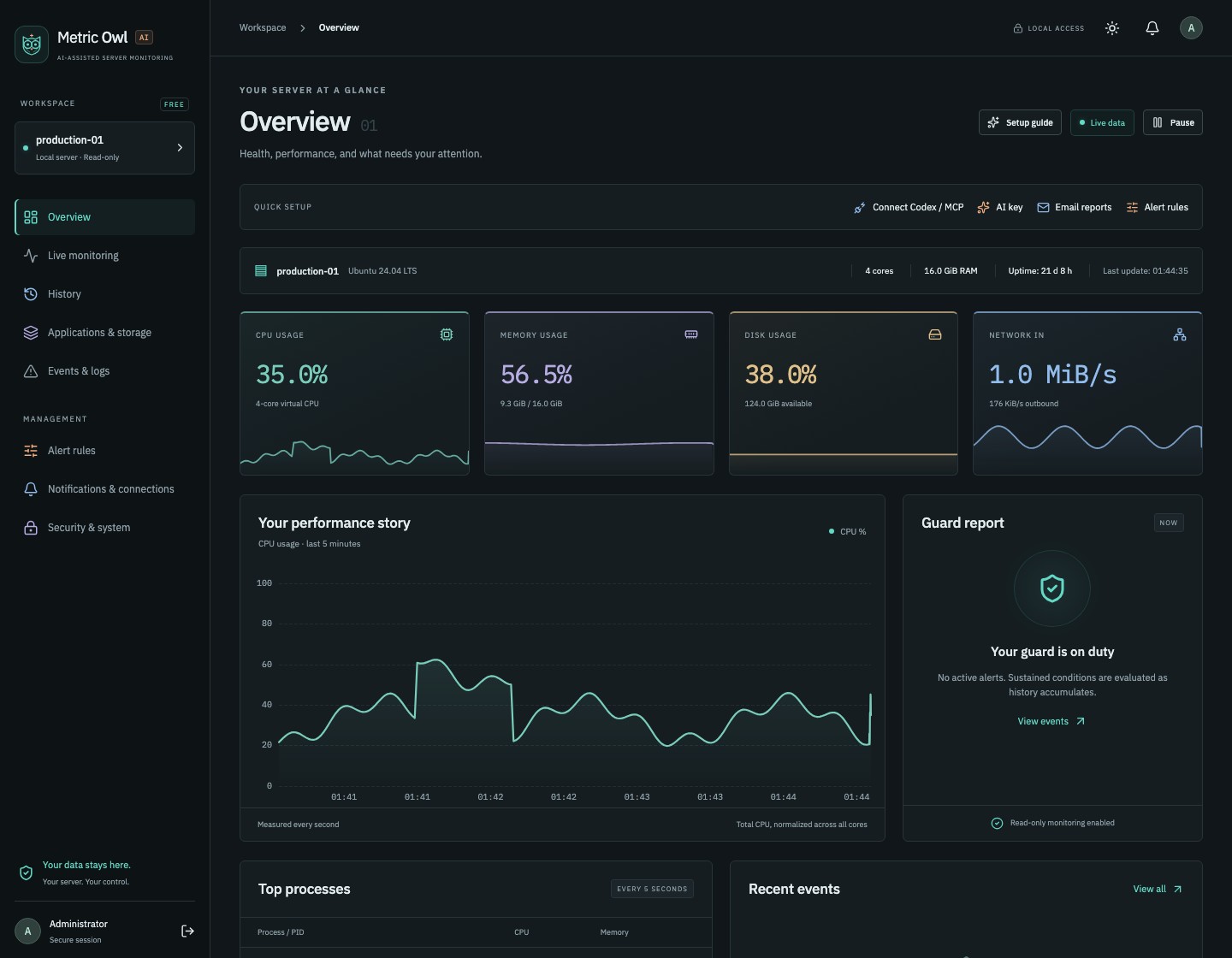
Is that CPU spike normal? Is the disk filling up? Metric Owl turns a server full of numbers into a picture you can actually use.
CPU, memory, disk, network and top processes. Live charts bring the important signals together in one place.
Start with ready-made alert packs. Choose thresholds and durations, then group repeated signals into one clear incident.
Look back at performance history, peaks and data gaps. Understand what changed before deciding what to do next.
A considered control center, from your first setup to your next investigation. Explore real screens from the application.
Every CPU spike doesn’t need a conversation with a model. Routine monitoring and alerts run locally. Add your own AI provider key when an incident needs a deeper look.
Understand the evidence.
Request an analysis of selected, size-limited incident data, with sensitive details redacted.
Bring your own AI agent.
Connect an MCP-compatible client over local stdio or SSH. Ask about collected history, metrics and incidents.
Stay in control.
Scoped, revocable access. No MCP tools for running commands, editing files or changing server settings.

Your agent can retrieve the collected measurements, compare time periods and explain the pattern.
Illustrative conversation and chart. Answers depend on your agent and available history.
No separate database to manage. No Node.js service to run. One application with a web control center.
The agent runs locally and keeps performance history in its own SQLite database. The panel is bundled with the app.
Use the one-time setup key, create your admin account and enable two-factor authentication. Review the included alert packs.
Connect notifications, choose report times, and add optional AI or MCP access. Email requires a configured notification service.
Monitoring should help you understand your machine. Access stays deliberate, limited and yours to control.
Local access by default, with SSH for remote connections. Your administrator panel isn’t a public website.
Argon2id password storage, required two-factor authentication, expiring sessions and protected sensitive settings.
Metrics are stored locally. Optional email, AI and webhooks send only the data needed for the connection you enable.
Choose the tools each MCP client can use. Revoke its key whenever you need to. No remote command execution.
We’re building a useful free edition first. More machines and independent outage monitoring come later.
Follow developmentMultiple servers.
Independent outage checks.
More room for your team.
No. Measurements, history, rules and incidents work without an AI provider. You can add your own key for optional incident analysis. Provider availability, limits and charges depend on your account.
Monitoring and MCP tools observe the sources you permit. They cannot run shell commands or change your applications. Installation creates Metric Owl’s own service and files; the app writes its own settings, history and notification queue.
A program running on an offline server cannot send an alert from that server. Independent outage monitoring is planned for Pro. Restart detection after a server comes back is being added to the free edition.
No mail server is required on the monitored machine. Email notifications use a separately configured notification service and verified recipients. Hosted email delivery is not yet part of the public preview.
On your own installation. The control center uses /admin on its local address, with an SSH tunnel for remote access. This website introduces the product; it does not expose your server’s administration panel.
The current preview has been exercised on Ubuntu 24.04 x86-64 and Apple Silicon macOS. Debian and additional Linux architecture validation are in progress. Windows and Kubernetes support are later work.
A public source repository and release downloads have not been published yet. We’ll list the distribution details here when the first public release is ready.
MEASURE. UNDERSTAND. STAY INFORMED.